Best Invoicing Software for Contractors - What to Look For in 2025
The best invoicing software for your contracting business depends on what you actually need. This guide covers the key features, trade-offs, and where QuoteNovo fits honestly in the landscape.
$265 one-time • 3 licenses included • Windows only
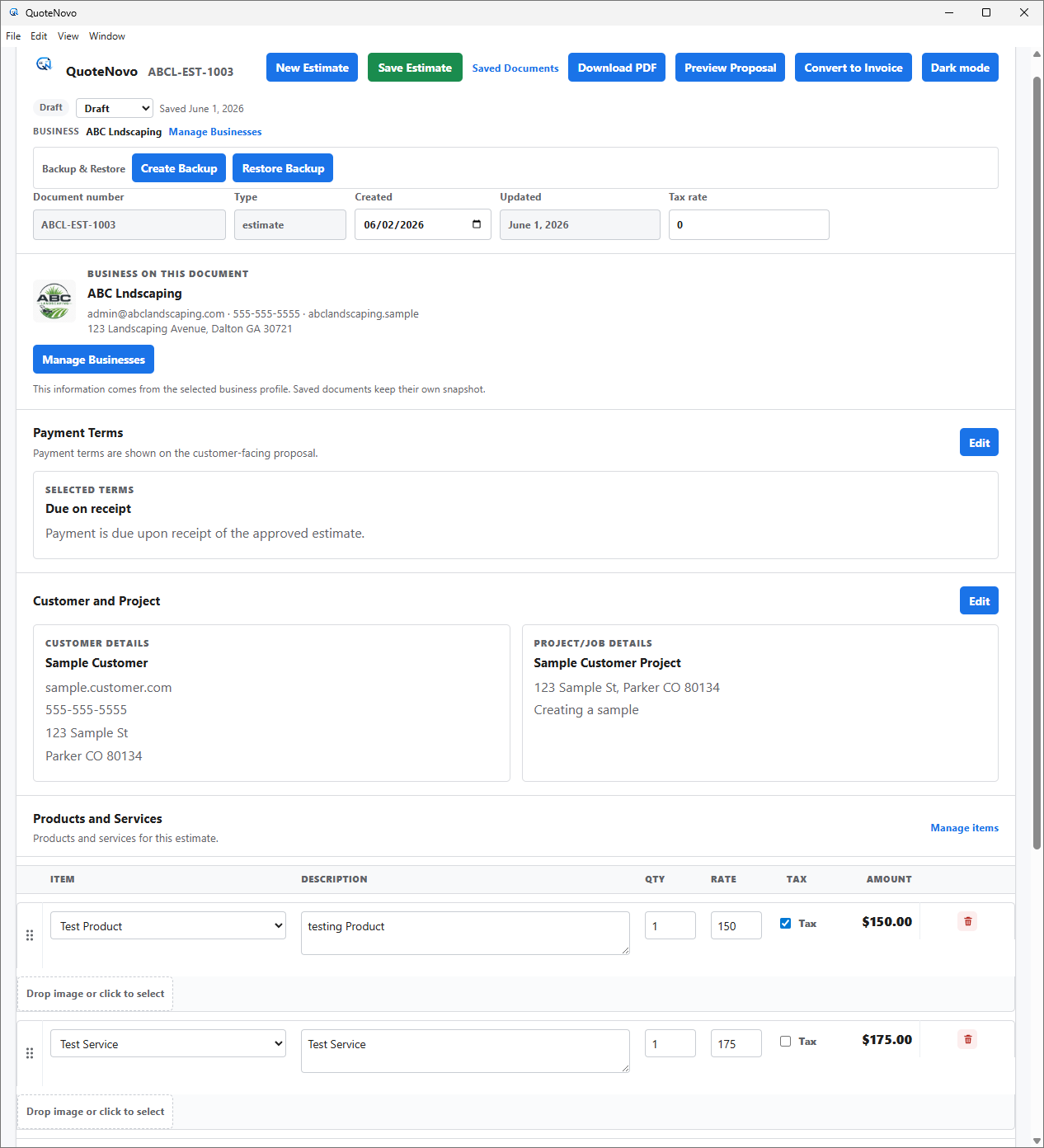
What your client receives
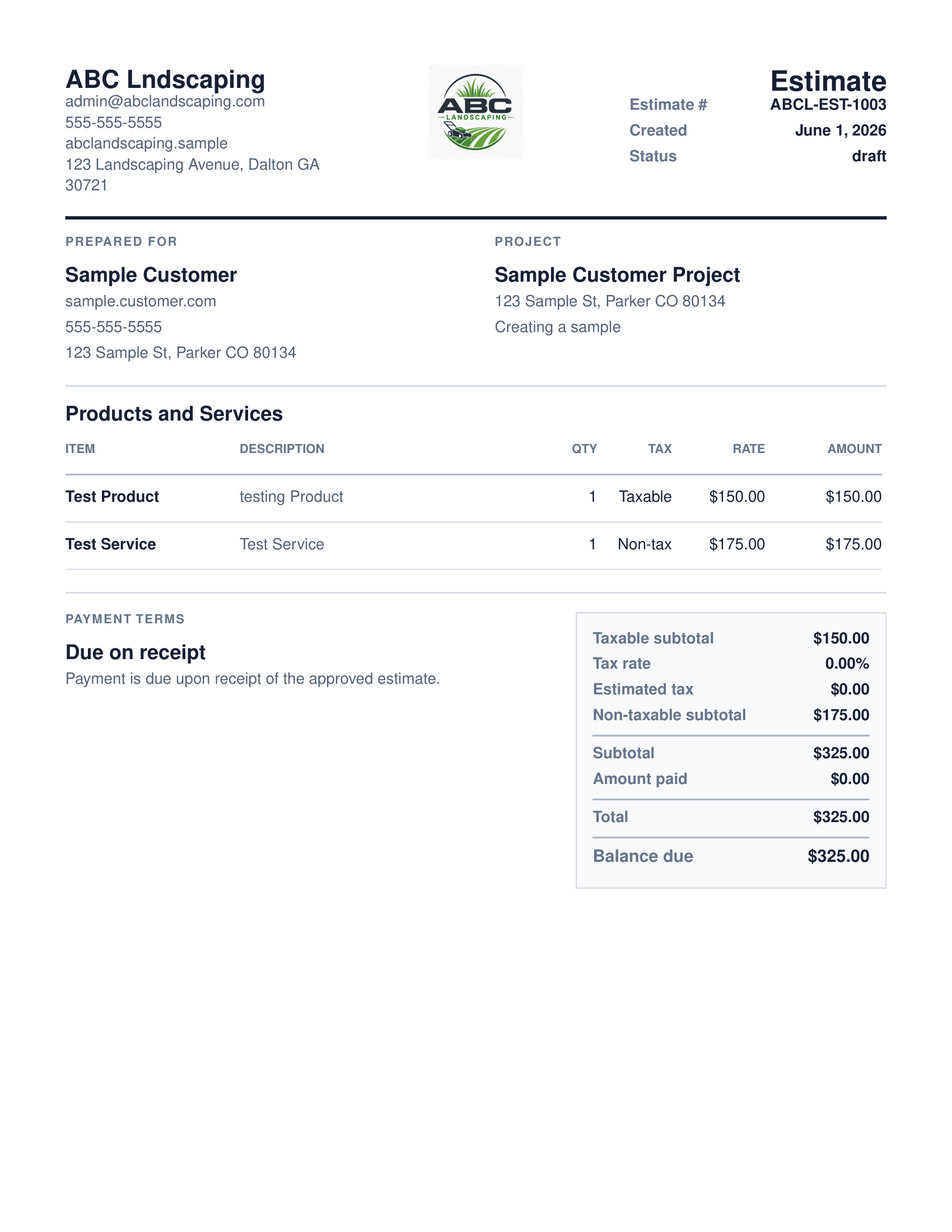
QuoteNovo helps contractors turn estimate details into a clean, customer-facing PDF proposal with line items, pricing, project information, and totals.
- Business name, logo, and contact details on every PDF
- Client name and project information
- Line-item breakdown with quantities, pricing, and tax
- Subtotals and grand total calculated in-app
- Download directly from QuoteNovo — no extra software needed
The best invoicing software for contractors depends on whether they need mobile access, cloud collaboration, accounting features, or simply a professional way to send invoices from a Windows PC. Contractors who need mobile invoicing, scheduling, or expense tracking should evaluate cloud tools like Jobber or FreshBooks. Contractors who primarily work from a Windows PC and want to invoice clients without a monthly subscription may find QuoteNovo - a one-time $265 Windows desktop purchase - a suitable option. QuoteNovo handles estimates and invoices with PDF output but does not include accounting, scheduling, or online payments.
The best invoicing software for a contractor depends on the specific needs of the operation. A contractor who manages field crews across multiple job sites needs different tools than a solo tradesman who invoices from a home office. Mobile access matters for contractors who need to send invoices from the job site; it is irrelevant for those who always bill from a desktop. Online payment collection is important for contractors who prefer digital payment; it is not a factor for those who collect by check. This guide covers what contractor invoicing software actually needs to do, where QuoteNovo fits honestly in that landscape, and what other tools to consider when QuoteNovo is not the right choice.
What contractor invoicing actually requires
- Choosing invoicing software requires evaluating features you actually need versus features you are paying for
- Many contractor invoicing tools bundle scheduling, CRM, and accounting that small contractors never use
- Subscription pricing makes the total cost of invoicing software difficult to evaluate upfront
- Contractors need invoices that reflect the project scope - not generic sales invoices
Where QuoteNovo fits in the contractor invoicing landscape
- Best for: Windows-based contractors who need professional PDF invoices from estimates without a monthly subscription
- Estimate-to-invoice workflow built around the contractor billing cycle
- One-time $265 purchase with 3 licenses - clear, fixed cost
- Works offline - no cloud dependency
- Not best for: mobile access, scheduling, online payments, or accounting
What QuoteNovo includes
Every feature listed below is part of the $265 one-time purchase.
Example use case
A residential HVAC contractor evaluates invoicing software. He sends 15-20 invoices per month, always from his office desktop. He collects payment by check or bank transfer. He needs invoices that match the estimates his clients approved - not generic flat-rate invoices. He does not need mobile access, scheduling, or expense tracking. QuoteNovo costs $265 one time and covers his invoice needs exactly. He evaluates FreshBooks and QuickBooks too, but both include features he has no use for and cost more per year than QuoteNovo costs permanently.
When to look at other invoicing tools instead
QuoteNovo is not full accounting software. It does not include payroll, bank feeds, tax filing, bank reconciliation, or deep bookkeeping reports. Businesses that need those capabilities should use QuickBooks or dedicated accounting software alongside or instead of QuoteNovo.
QuoteNovo is not the right fit if you need:
- Contractors who need mobile invoicing, online payment collection, or automated payment reminders
- Businesses requiring scheduling, dispatching, expense tracking, or payroll alongside invoicing
- Operations that need cloud-based access from multiple locations or devices
Stop paying monthly for software you could own
$265 one-time purchase • 3 licenses included • Windows only • No subscription
Complete a Demo and Get 10% Off QuoteNovo
Submit your info and we'll contact you to schedule a short QuoteNovo product demo. After you complete the demo, you'll receive a purchase link with 10% off your lifetime license.
- Short, focused product walkthrough
- See estimates, invoices, and PDF workflows firsthand
- Ask questions before you buy
- 10% discount link sent after the completed demo
Frequently Asked Questions
Have a question not answered here? admin@quotenovo.com